
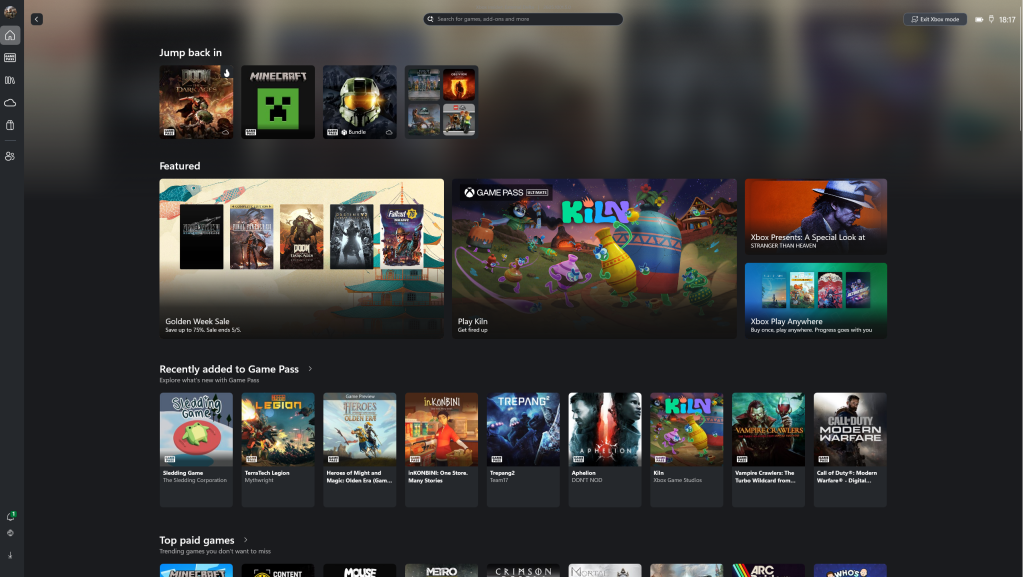
If you’re reading this, you already know what Xbox Mode is. You’ve seen the videos, you want it, and when you went looking for the setting it either wasn’t there or was greyed out. Microsoft is rolling it out gradually and hasn’t got to your region yet. Annoying, but fixable.
ViVeTool lets you flip the feature flag yourself. It sounds more involved than it is. The whole thing takes about five minutes.
What you need
Download ViVeTool from github.com/thebookisclosed/ViVe/releases — grab the latest .zip and extract it somewhere easy to find. I just put it in C:\ViVeTool.
The command
Open Terminal or Command Prompt as Administrator (right-click > Run as administrator — it won’t work without this), navigate to the folder, and run:
cd C:\ViVeToolvivetool /enable /id:59765208
Restart your PC.
That’s it. After the reboot, Win + F11 drops you into Xbox Mode. Press it again to go back to the desktop. The setting will also now appear under Settings > Gaming > Xbox Mode if you want to manage it from there.
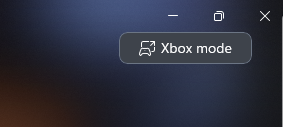
Also when you load up the Xbox App you will see this button in the top right corner.
If it doesn’t work
The feature requires a reasonably recent Windows 11 build. If you’re running something from 2023 it probably won’t show up regardless of the flag. Make sure Windows Update has nothing pending, then try again.
Also make sure the Xbox app is installed. It ships with Windows 11 by default but some people remove it — Xbox Mode needs it there.
Worth knowing
This is a hidden feature in active development. It works well right now, but Microsoft can change feature flags with any Windows update. If it stops working after an update, that’s why — though by that point the feature will probably have shipped properly to your region anyway.


Leave a comment