
What if you could use Claude to rebrand your website without paying for a more expensive WordPress plan? Could it improve your SEO, and could it give you the same look on your site, your X profile and your YouTube channel?
I tried it on this site over one evening. The short answer is yes to the rebrand, yes to the branding, and “partly” to the SEO. This is how I set it up, what Claude did, and where it got stuck.
Where the site started
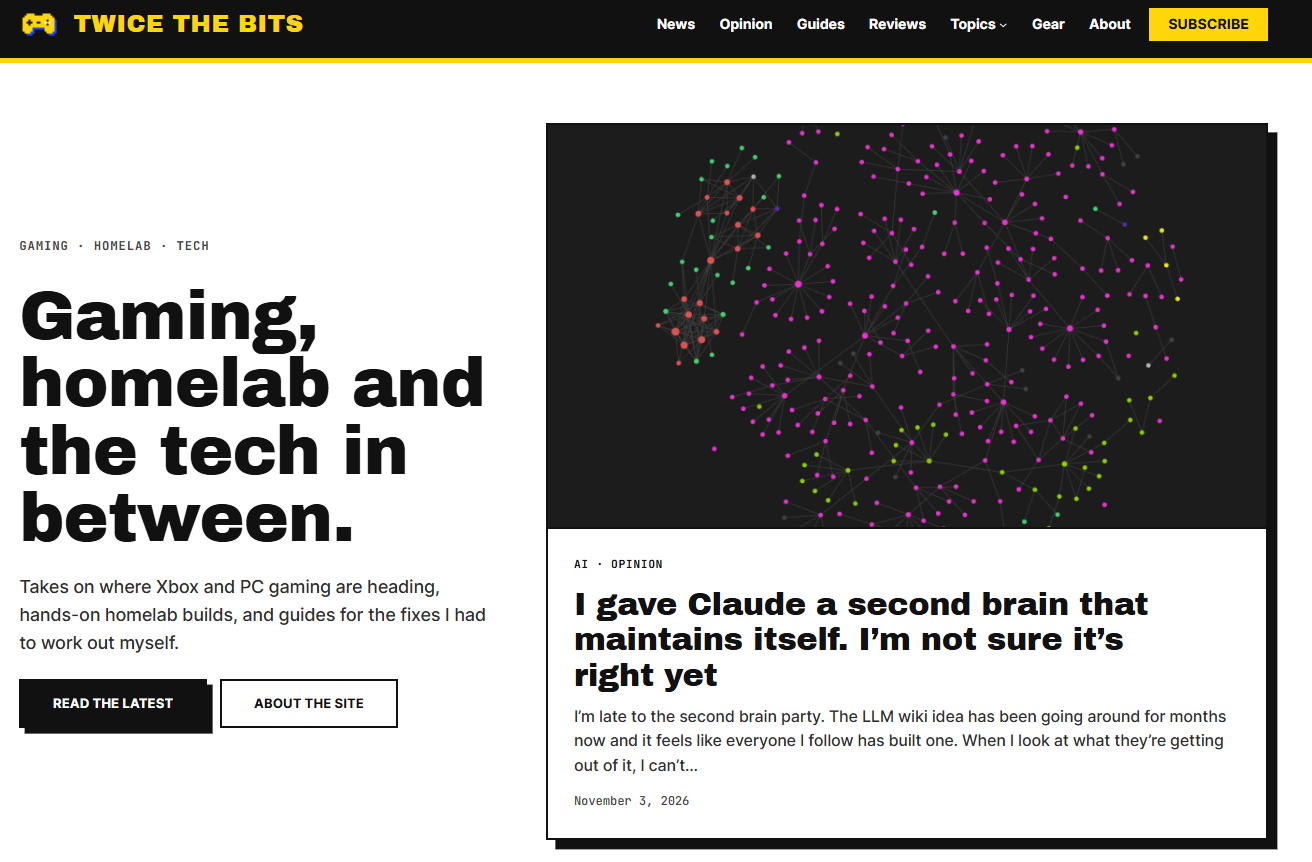
Twice the bits has been a Halo blog, a news site, a place for reviews and a home for homelab guides. The menu showed all of that history at once. I had 19 categories, a stock theme, and 34 old posts pinned to the front page that I’d forgotten about.
What you need
- A WordPress.com site. I’m on the Personal plan, which is £36 a year. WordPress says the Claude connection works on every paid plan. Free sites can use it until 30 November 2026.
- An administrator account on the site. Editors can change posts but can’t touch the design or settings.
- A block theme. Mine is Spiel. Block themes are the ones you edit in the Site Editor, and that is what lets Claude change the header, footer and page layouts.
- A Claude account that can use connectors.
- The Claude app on your phone. This one is optional, but I’d recommend it. More on that below.
Setting it up, step by step
- Turn on access in WordPress.com. Go to your account Preferences, choose “AI and MCP”, and switch on “Enable MCP access”. MCP is the plumbing that lets an AI assistant talk to your site.
- Check the Write tools. On the same screen, click “Write”. This lists what Claude is allowed to change, grouped into things like content and site editing. Switch off anything you don’t want touched. I left plugins and user management alone because I didn’t need them.
- Connect Claude. In Claude, open the connectors list, find WordPress.com and connect it. You sign in to WordPress.com and choose “Full access” or “Read only”. Read only is a good way to have a look around first.
- Confirm the right site. I asked Claude which sites it could see and told it which one to work on. If you have more than one site, don’t skip this.
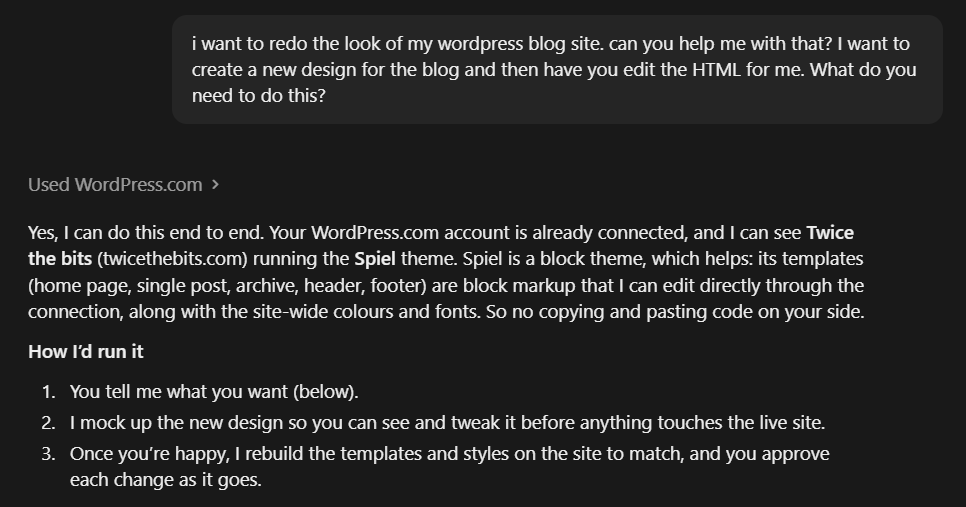
- Describe the problem. I didn’t ask for a design. I said the site felt dated, looked like a stock theme and had a confused menu. Claude came back with questions about the menu structure and the look I wanted.
- Ask for a mockup first. Claude drew the new home page and article page before it changed anything. I approved that, and only then did it start on the live site.
- Ask for a backup. Claude saved copies of my old header, footer, home page, menu and every post’s categories before it started. WordPress.com only offers a full restore on the Business plan and above, and deleted categories and tags are gone for good, so this step matters.
- Approve the changes. Claude asks before it writes anything to your site. You see what it wants to do and say yes or no.
Approving changes from the sofa
This was my favourite part. The approval prompts showed up in the Claude app on my phone as well as on my computer. So I set the job going, went to watch TV, and tapped “approve” whenever my phone buzzed. Re-filing 101 posts into new categories is dull work. I’d much rather do it one thumb tap at a time during an episode of something.
What Claude changed
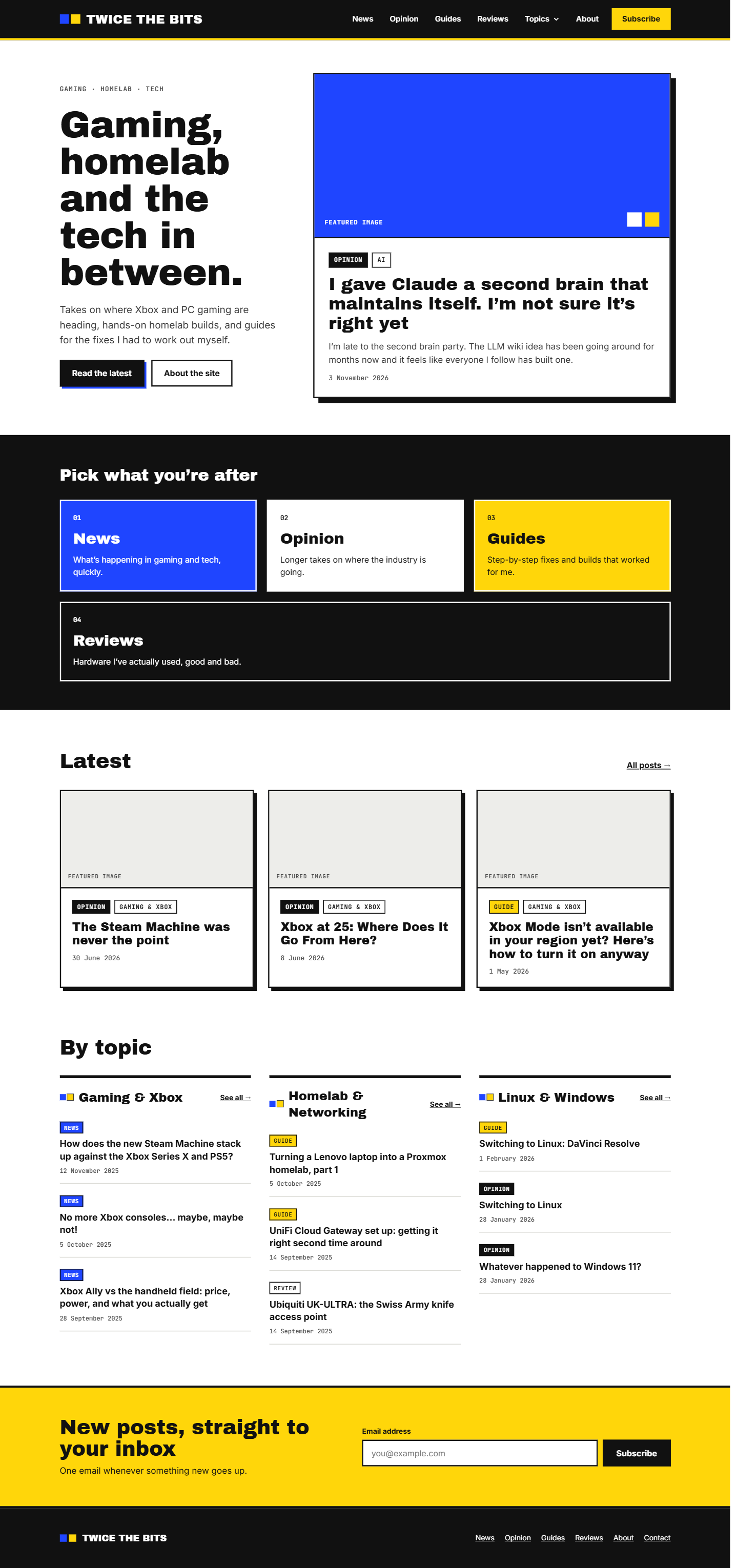
- A new header, footer, home page and article layout, plus the archive, search and “page not found” pages.
- A black, white, yellow and blue colour scheme with thick borders and hard shadows.
- Two new fonts, Archivo Black for headings and JetBrains Mono for labels.
- A menu built around formats: News, Opinion, Guides and Reviews, with a Topics dropdown.
- 19 categories cut down to 8, with all 101 posts moved into the right ones.
- Duplicate tags merged and the 34 pinned posts unpinned.
- A rebuilt Contact page and a new Gear page for the kit I use.
- “Part 1” and “Part 2” links between posts that belong to a series.
Where it got stuck
- Fonts. Claude couldn’t upload font files through the connection. It had to open my WordPress dashboard in the Claude desktop app’s browser, and I had to sign in for it.
- Checking its own work. It couldn’t always load my live site to look at the result. A “confirm you are human” check blocked its phone-size test, so I checked mobile myself.
- Some settings. The default category and the subscribe pop-up live in the dashboard, and I had to change those by hand.
- Plan limits. Claude can’t unlock features your plan doesn’t have. Custom SEO titles and descriptions start on Premium, and no amount of asking changes that.
Did it improve my SEO?
I don’t know yet, and I’d be wary of anyone who says they do after one evening. The site is easier for a search engine to make sense of now. The categories are clear, the menu matches them and posts in a series link to each other. Whether Google rewards that will take weeks to show up.
Claude also found problems I hadn’t noticed. Almost none of my images have alt text. My post summaries were just the first lines of each post, which often start mid-thought. It couldn’t see Google Search Console either, so I still have to add the site there and submit the sitemap myself. Those jobs are on my list.
Consistent branding
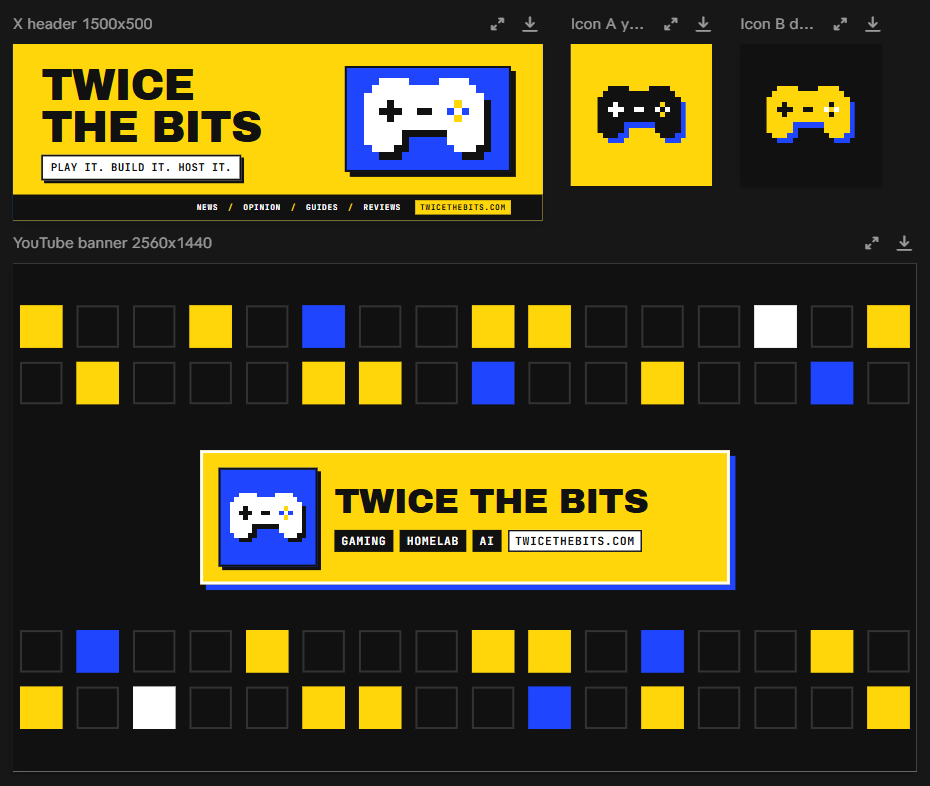
Once the site was done, I asked for an X header, a profile icon and a YouTube banner in the same style. Claude redrew my game controller as a chunky pixel sprite and used the same colours and fonts as the site. It took a few minutes, and for the first time everything I run online looks like it belongs together.
Would I do it again?
Yes. The design is better than I’d have managed on my own, and the category clean-up is a job I’d been putting off for about three years. It wasn’t hands-off, though. I made the decisions, checked the results and did the bits Claude couldn’t reach. If you go in expecting a capable helper who needs supervising, you’ll get on fine.
If you try it on your own site, let me know how it goes on the contact page.


Leave a Reply